

A clearer start, before you press play.
Rockstar’s official GTA VI page lists November 19, 2026, for PlayStation 5 and Xbox Series X|S. Use the official announcement as your starting point, then check the information attached to your own platform and purchase.
A release date does not establish the exact hour your copy unlocks. Our countdown and release guide explains that distinction. The briefing below covers the November 10 preload Rockstar announced on November 3, the file of up to 212 GB and the boxed download code.
Considering PC instead? GamesBeat’s October 13 report points to Q1 2027, but Rockstar has not announced a PC date. Read the PC evidence and console-or-wait guidance before choosing hardware. A reported window is not a confirmed launch.
You can make the practical decisions now and leave unannounced details open. Tick an item once you have reviewed it; your progress reflects your preparation, not a guarantee that launch information is final.
Pick your soundtrack with the GTA 6 radio guide and its official preview links.
YOUR DAY-ONE FILE
Come prepared.
0 of 6 preparation steps reviewed.
Progress stays on this device when browser storage is available. Otherwise, it lasts for this visit.
Want the release-day money brief? Leave your e-mail below. Optional, and separate from your checklist.
BEFORE YOU BUY / INSIDE THE BOX
Does the GTA 6 Vice City Collection Include the Game?
The Goodtime State – Vice City Collection is a physical collectible set. Buying the box does not replace buying GTA VI.
Rockstar announcement: September 24, 2026. Product listing checked .
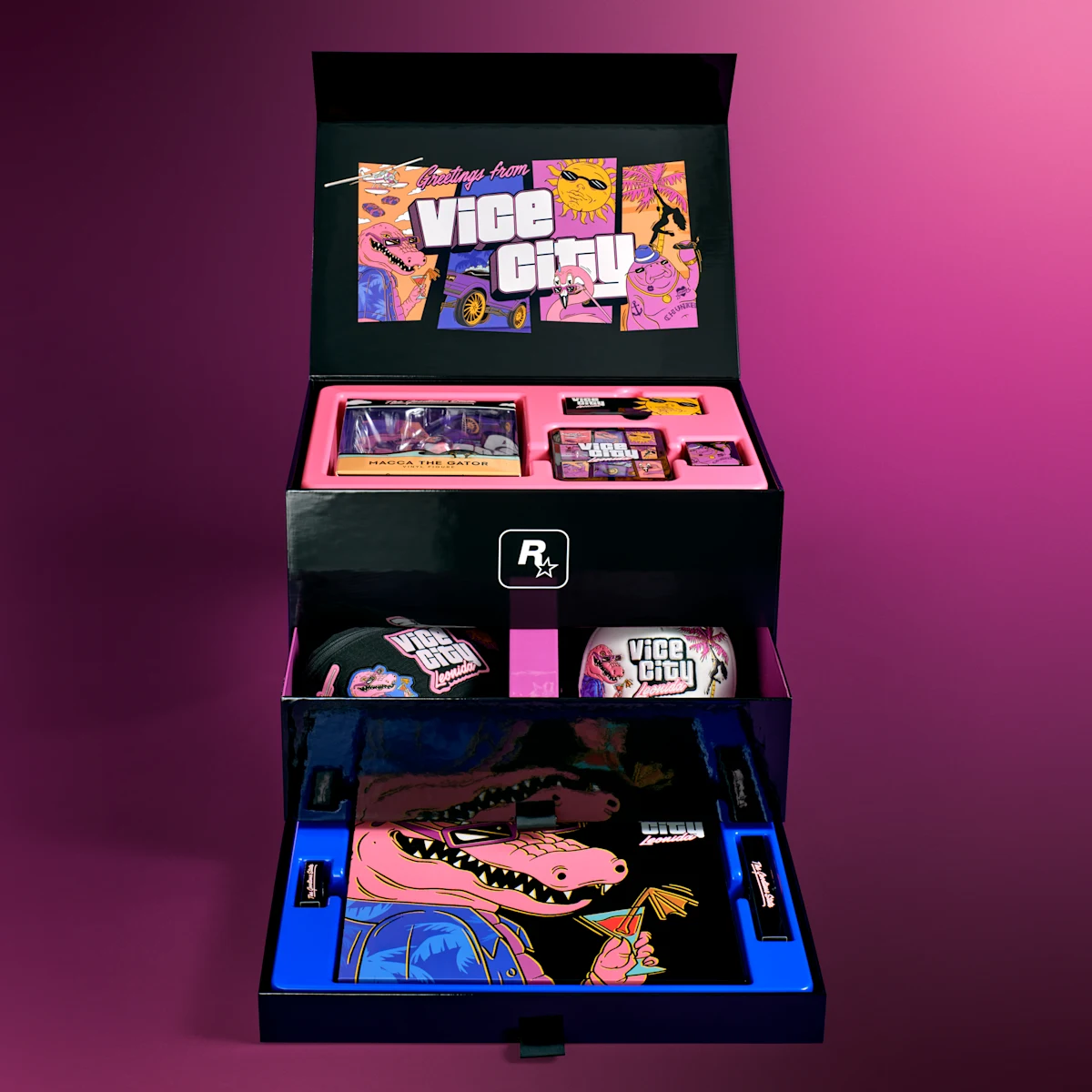
Take a closer look.
The box and its eleven item categories, as listed by Rockstar. Open any image for a closer look.
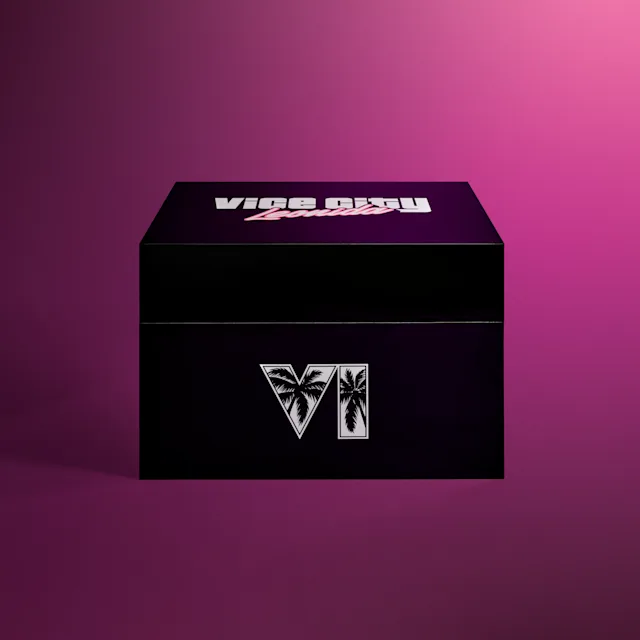

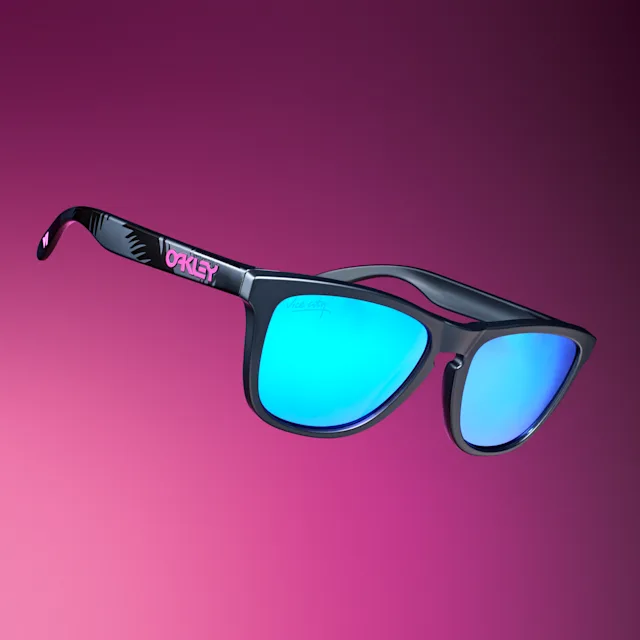
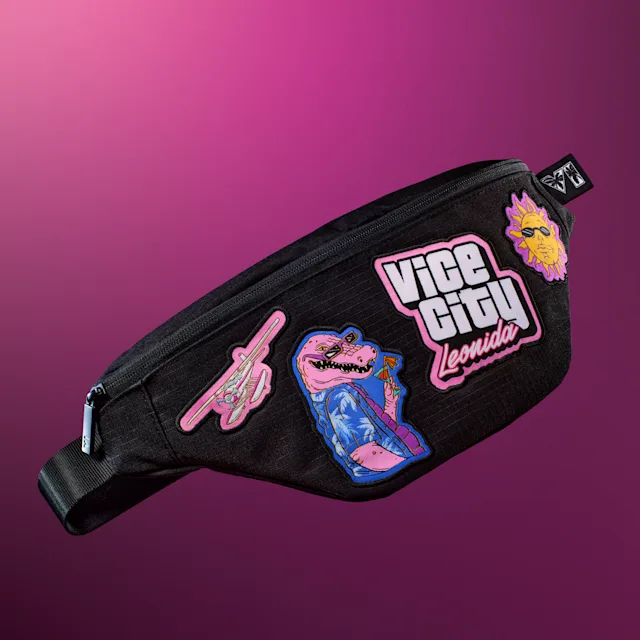
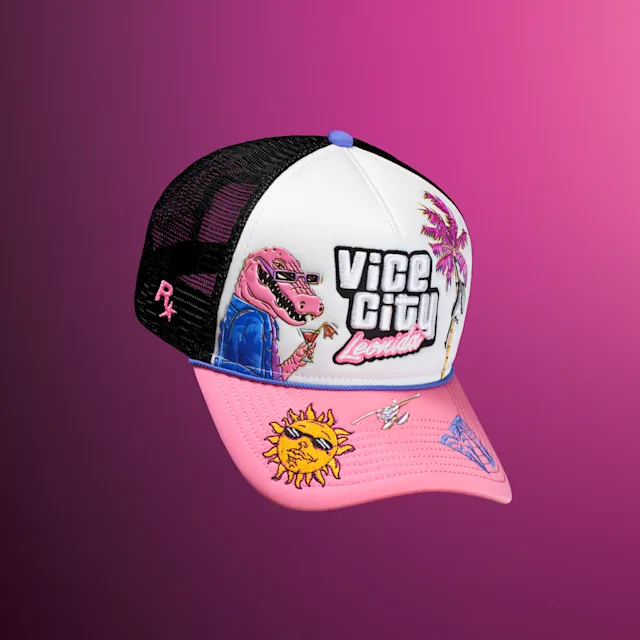




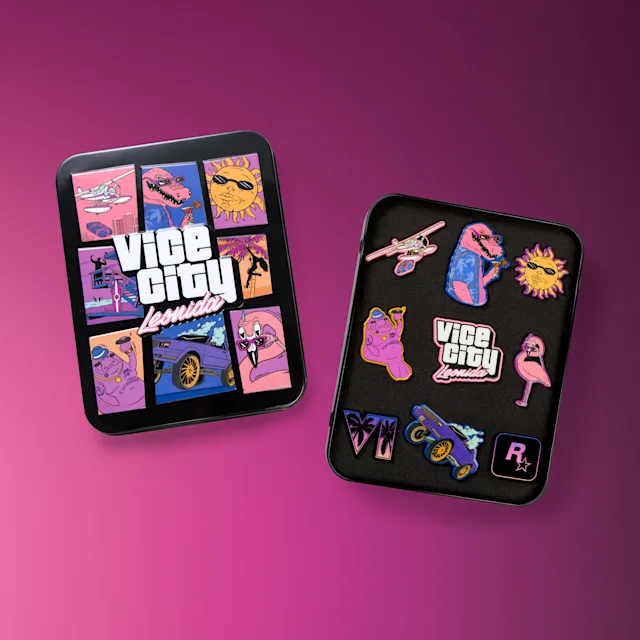
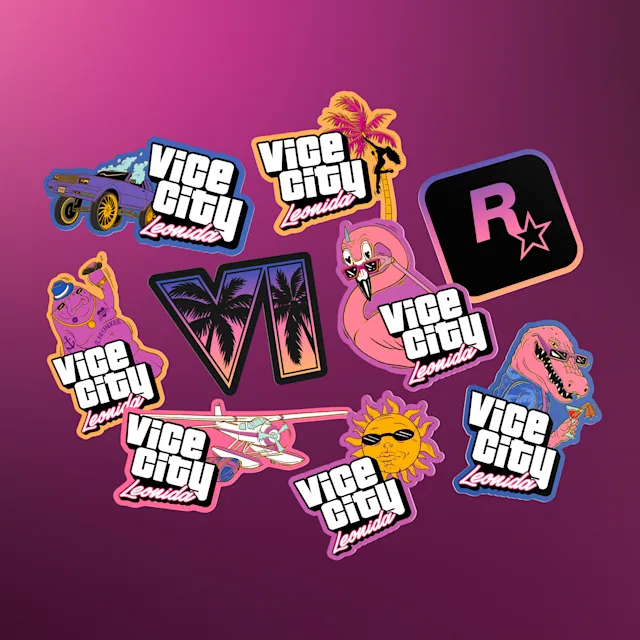

Official product imagery © Rockstar Games / Take-Two Interactive. Independent editorial coverage; not gameplay footage. View the official listing.
Box, game, extras: check your purchase.
| Product | Game included? | Content type | Source |
|---|---|---|---|
| Vice City Collection | No. Game sold separately. | Physical box and collectibles pictured below. | Rockstar Store |
| GTA VI Standard / Ultimate | Game editions. Check the exact product on your order. | Game purchase; digital extras depend on the edition and offer. This box is a separate purchase. | Rockstar GTA VI |
Before checkout.
- Check whether your order contains the game, a digital add-on or physical merchandise only.
- Confirm platform, region, currency and the order total. The box listing says it is not eligible for free shipping.
- Check supported delivery countries and shipping terms. The box’s shipping schedule does not establish the game’s unlock time.
Our advice: confirm your copy of the game first, then decide whether you want the collectibles. No progression advantage is established here for these physical accessories.
Check off my purchase in the checklistINSTALLATION / YOUR NEXT CHECK
When Does the GTA 6 Preload Start, and How Much Space?
On November 10, 2026. On PS5 at midnight local time; on Xbox Series X|S at 12 a.m. GMT, worldwide. The preload file needs up to 212 GB depending on your device, according to Rockstar’s Newswire post of November 3.
Preloading prepares the files. Access to the game is a separate detail: check when your copy unlocks.
Checked November 4, 2026. This announcement replaces the November 12 preload date that Rockstar Support gave until then. The support article’s preload answer now gives the same November 10 times, although an older paragraph on that page still mentions November 12.
| Information | Status | Scope | Source | Checked |
|---|---|---|---|---|
| PS5 preload From November 10, 2026 at midnight local time in your time zone. | Official | Digital version · PlayStation 5 | Rockstar Newswire · November 3 | |
| Xbox preload From November 10, 2026 at 12 a.m. GMT, at the same moment worldwide: 7 p.m. on November 9 in New York. | Official | Digital version · Xbox Series X|S | Rockstar Newswire · November 3 | |
| File size Up to 212 GB depending on your device. Rockstar does not give a figure for each console. | Official | Preload file · PS5 and Xbox Series X|S | Rockstar Newswire · November 3 | |
| Physical version A download code in the box, no disc. Available from retailers from November 12; redeem the code as soon as you have it. | Official | Boxed version · PS5 and Xbox Series X|S | Rockstar Newswire · November 3 | |
| Game access Release on November 19, 2026. The preload hour does not establish the unlock hour. | Scheduled date | PS5 and Xbox Series X|S | Rockstar GTA VI | |
| 200 GB+ claim Since November 3, the figure to use is Rockstar’s (up to 212 GB), not the rumor. | October rumor, superseded | Alleged development build · October 12, 2026 reports | TweakTown · October 12 |
A shipping date does not guarantee delivery that day. For a boxed purchase, check delivery or pickup, platform and code-region compatibility before paying.
Is GTA 6 Really 200 GB? The Rumor vs. Rockstar’s 212 GB
Rockstar’s own figure is up to 212 GB for the preload file, published on November 3, 2026. The earlier 200 GB figure came from a rumor: on October 12, 2026, TweakTown and Notebookcheck relayed a claim about an alleged development build. Both point to the same X post: two articles are not two independent confirmations. We could not access the original post during this review.
- Development build: an alleged work-in-progress version, not a verified measurement of the console release.
- Download size: the data you need to download. Rockstar gives up to 212 GB depending on your device; note the figure your store shows for your console and edition.
- Installed size and required free space: the space occupied and the free space requested for installation are separate details. Follow the store and console instructions; do not derive either from the rumor.
What about the “244.86 GB” screenshot?
A Reddit discussion from September 19 repeats that figure from a video. It is an unverified community claim, not an official requirement. Do not use it to size your installation.
Four checks before you download.
Our preparation method: review these points before checking off the installation step in your checklist.
- Store and region. Find the listing for your account’s country, rather than relying on a shared screenshot.
- Purchased edition. Match the edition name and platform to your order confirmation.
- Available storage. Rockstar puts the preload file at up to 212 GB, depending on your device. Compare that figure and your store’s with your free space before November 10.
- Download instructions. Check your library or order for download instructions and the unlock time attached to your copy.
Your storage record: copy this into your notes.
Fill this in from your order, the official store and your console settings. If a size has not been published, write “not announced” rather than an estimate.
- Platform and account region: ____
- Purchased edition: ____
- Official listing URL and date checked: ____
- Listed download size / installed size: ____ / ____
- Free space required for installation: ____
- Free space currently available on your console: ____
Rockstar’s 212 GB is a maximum for the preload file, not the exact figure for your console: compare it with your store listing.
YOUR DAY-ONE TOOL
How long will your download take?
Enter a download size and your speed to plan your download window. No GTA VI size is preselected: use your own scenario or the published figure for your copy.
THEORETICAL DURATION
At a constant speed, rounded up to the next minute. Excludes pauses, additional updates and installation.
How the estimate works
Seconds = size in GB × 8,000 ÷ speed in Mbps. Here, 1 GB = 1,000,000,000 bytes and 1 byte = 8 bits. A GiB value is not a GB value.
Wi-Fi, shared connections, servers and changing speeds can extend the download. Your plan’s advertised speed may differ from the speed your console gets. This result confirms neither GTA VI’s size nor when you will be able to play.
Free, no signup. Calculated on this device; the tool’s values are neither sent nor saved.
What GTA 6 release times do the PlayStation stores list?
The PS5 Ultimate Edition listings checked on October 12, 2026 display the times below. Local times are our conversions of the stores’ UTC timestamps using November time-zone offsets.
| Region | Local time | UTC | Source |
|---|---|---|---|
| France · Paris | November 19, 00:00 CET | PlayStation Store | |
| United Kingdom · London | November 19, 00:00 GMT | PlayStation Store | |
| United States · New York | November 19, 00:00 EST | PlayStation Store | |
| United States · Los Angeles | November 18, 21:00 PST | PlayStation Store |
Check your account region and purchased edition. These listings do not establish Xbox times, other regions or another edition’s schedule. Box pickup and preload are separate milestones. Recheck your own order before launch.
Grind Coast’s countdown remains a local-midnight reference, separate from this table. In Los Angeles, that reference falls three hours after the checked US listing’s time.
When launch gets closer.
Revisit your platform’s official listing and your order details. Confirm the edition and platform you selected (our Standard vs Ultimate comparison lists what each edition includes), and check for current installation requirements and any download instructions. Make space based on the published requirement when it becomes available; do not rely on an old screenshot or a number without a source.
If you want to discover the story yourself, decide in advance which channels and keywords to mute. You can still read source-led preparation guides while skipping plot summaries, mission footage and thumbnails that reveal more than you want to know.
Keep your first session flexible.
Our suggestion is to leave room to explore, learn the controls and understand the choices the game actually presents. A rigid route written before release cannot account for your progress, preferences or the final game.
For money advice, start with the reported economic systems. When a guide recommends a specific method, check whether its author has reproduced it and whether its starting conditions match yours.
The reminder is optional.
Your checklist is free and independent of the mailing list. If you want our money briefing and your free Story Mode access on release day, use the form below. Checking a box never subscribes you; after release day you only get the launch essentials.